
How to Use Ad Liftoff’s AI Optimization Features: Campaign & Folder Optimization
Managing ad campaigns across multiple platforms can feel like a juggling act. Shifting budgets, analyzing performance metrics, and pausing underperformers takes time and effort that you could spend on growing your business. That’s where Ad Liftoff’s AI Optimization Features come in. With tools like "Optimize for Me" folders, you can leave the heavy lifting to AI and focus on scaling your success. Let’s break down how it works.
What Are Optimization Folders?
Optimization folders are the ultimate time-saving tool for campaign management. By grouping your ad campaigns into one folder and toggling on optimization, Ad Liftoff’s AI automatically reallocates budgets, prioritizes high-performing ads, and pauses low performers. This ensures your ad spend is focused on delivering the best results, all without hours of manual adjustments.
How to Get Started
Choose Your Campaigns: Start by selecting the campaigns you want to optimize. Ad Liftoff supports multiple platforms, including Snapchat, Google, Facebook, and more, so you can mix and match as needed.
Create a Folder: Tap “Move to Folder” and give your new folder a name that reflects your campaign’s goal. For example, “Holiday Promo” or “Spring Launch.” You can even add a cover image for easy identification.
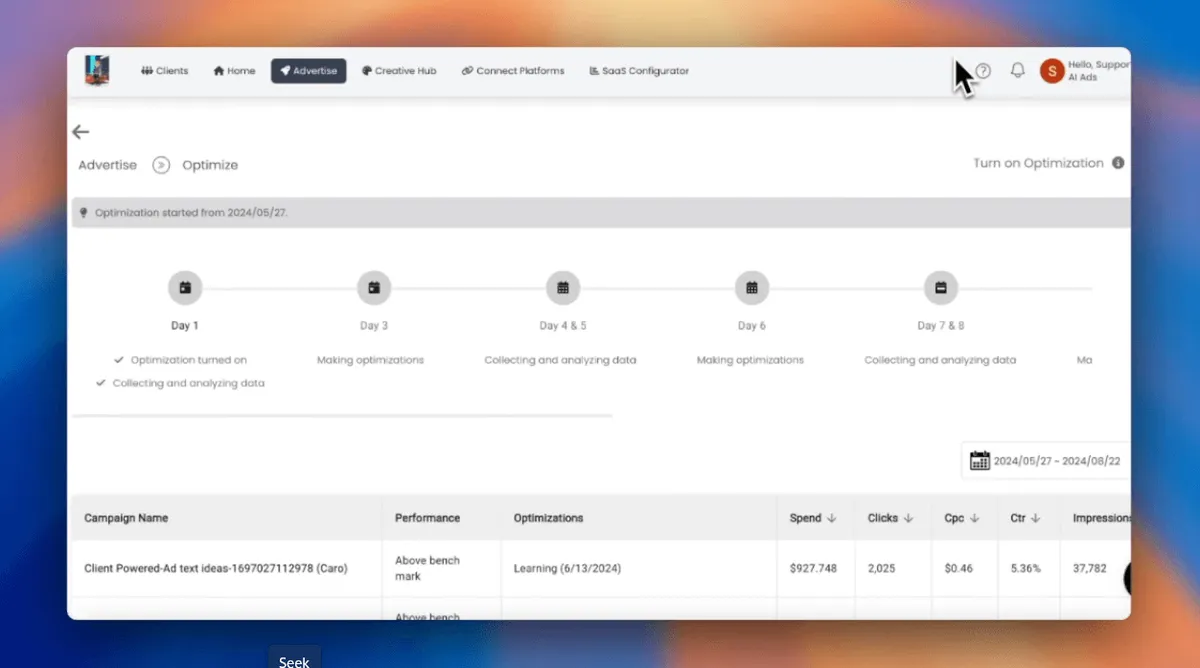
Turn on Optimization: Inside your folder, toggle the optimization switch. Once it’s on, the system immediately begins analyzing and adjusting your campaigns for optimal performance.
What Happens When Optimization is Active?
With optimization turned on, here’s what you can expect:
Automated Budget Allocation: Over a 15-day timeline, the AI continually shifts budgets toward high-performing campaigns while reducing spend on underperformers.
Performance Insights: See which campaigns are exceeding benchmarks and which ones need improvement, all in real-time.
Deeper Reporting: For detailed metrics like cost per lead or conversion rates, click on any campaign within the folder. You’ll also be able to make edits and respond to comments directly.
Ad-Level Optimization
Want to dive even deeper? Ad Liftoff also allows you to optimize ad assets, targeting, and more at the individual ad level. Simply navigate to the results section of any specific campaign, where you’ll find additional tools to fine-tune performance.
Why Use Optimize for Me?
Optimize for Me is powered by cutting-edge AI that removes the guesswork from ad management. When activated, it ensures every aspect of your campaigns—from budget allocation to targeting—is working toward maximum ROI. Whether you’re managing a handful of ads or scaling across platforms, this feature simplifies the process and drives results.
Take Control of Your Ad Performance
With Ad Liftoff’s optimization features, you no longer have to spend hours manually managing your campaigns. Group them into folders, toggle on optimization, and let AI do the rest. Your campaigns will run smarter, faster, and more efficiently, giving you the freedom to focus on what matters most: growing your business.
Ready to experience effortless campaign optimization? Start using Ad Liftoff today and watch your ROI soar!


